Introduction
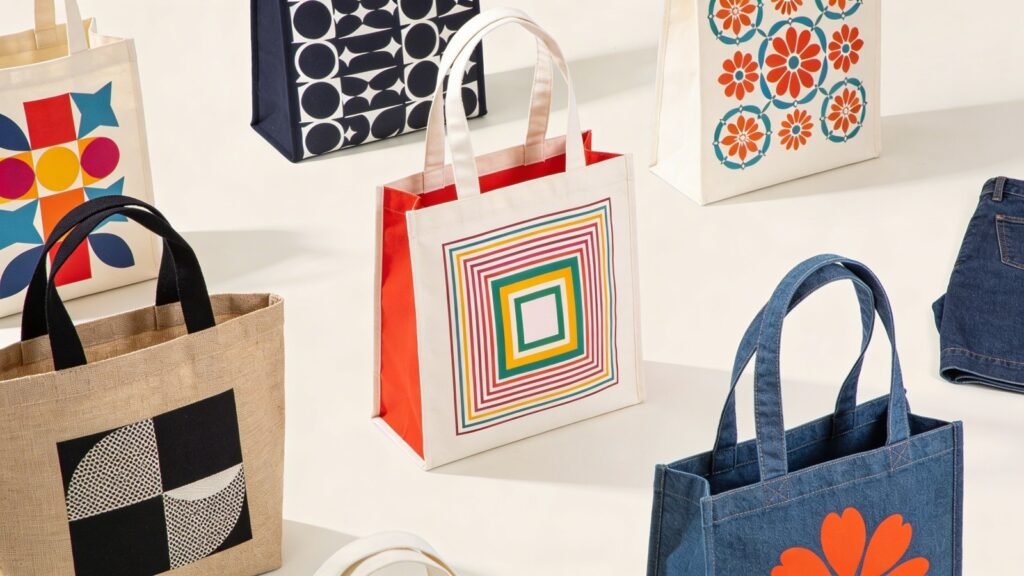
Tote bags are simple objects with outsized visual impact. They function as packaging, merchandise, and brand statements at the same time. A professionally designed tote communicates credibility before a single word is read.
This guide is intended for marketing teams, small business owners, event organizers, and independent creators who want reliable, print-ready results without relying on a full production studio. The focus is not on hype or trend-driven design, but on process control: dimensions, color handling, layout clarity, and export discipline.
Custom tote bag design tools vary in depth and flexibility. Some emphasize ease and templates, while others allow tighter control over color profiles and file preparation. One accessible starting point is to design a custom tote bag using Adobe Express, which provides ready-made layouts sized for print products and export options suitable for production workflows.
The steps below walk through the full workflow — from canvas setup to wholesale printing — with checkpoints that reduce common production errors.
Step-by-Step Guide for Using Custom Tote Bags Design Tool
Step 1: Set Up a Print-Accurate Canvas From the Start
Goal
Create a document sized and configured specifically for tote bag printing.
How to do it
- Confirm final print dimensions with your printer (for example, 12×14 inches).
- Open your design tool and select a tote bag template or set a custom canvas.
- Set resolution to 300 DPI.
- Match the artboard orientation to the tote’s printable area.
- Save the file using version control (e.g., Brand_Tote_v1).
What to watch for
- Starting with web-sized defaults (72 DPI).
- Designing before confirming printable area dimensions.
- Ignoring fabric color (natural canvas vs. dyed cotton).
- Cropping the design too close to edges.
Tool notes
If you need precise dimension confirmation before designing, a project management tool like Asana can help track printer specifications and version approvals across stakeholders.
Step 2: Establish a Clear Visual Hierarchy
Goal
Make the design readable and balanced at a distance.
How to do it
- Decide on one primary focal point (logo, phrase, or graphic).
- Limit typography to one headline font and one supporting font.
- Use alignment guides to center or anchor the composition.
- Increase contrast between text and background.
- Leave white space around key elements.
What to watch for
- Overcrowding the printable area.
- Tiny text that disappears on fabric.
- Excessive stylistic effects (drop shadows, glows).
- Decorative fonts that lose clarity when printed.
Tool notes
For font pairing validation and brand consistency tracking, a design education platform like Skillshare can provide structured typography guidance without altering your production workflow.
Step 3: Enable CMYK Color Support
Goal
Ensure the colors on screen translate accurately to fabric.
How to do it
- Ask your printer whether they use CMYK, spot colors, or screen printing inks.
- Enable CMYK color support if your tool allows it.
- Convert brand colors from RGB to CMYK equivalents.
- Use solid, high-contrast color blocks for durability.
- Avoid subtle gradients unless your printer confirms compatibility.
What to watch for
- Neon or ultra-saturated RGB colors.
- Thin, light-colored type on dark fabric.
- Heavy ink coverage on lightweight canvas.
- Assuming color conversion will be handled automatically.
Tool notes
For email proof approvals and color confirmation with clients, an email marketing platform like Mailchimp can centralize visual proof sharing and documented approvals.
Step 4: Follow Artwork Specifications Exactly
Goal
Prepare the artwork according to the printer’s technical requirements.
How to do it
- Request artwork guidelines from your wholesale screen printer.
- Add required bleed (commonly 0.125–0.25 inches).
- Keep critical elements inside a safe margin.
- Convert text to outlines if exporting from vector-based software.
- Flatten transparency layers if required.
What to watch for
- Uploading JPG files when vector or PDF is required.
- Leaving fonts unembedded.
- Ignoring bleed and trim instructions.
- Submitting layered files when flattened files are required.
Tool notes
If coordinating artwork revisions among multiple contributors, a project management tool like Trello can track spec compliance and approval checkpoints.
Step 5: Confirm Print-Ready PDF Export
Goal
Generate a final production file that matches technical standards.
How to do it
- Export as a high-quality PDF.
- Confirm 300 DPI resolution.
- Verify CMYK color mode (if required).
- Review the PDF at 100% zoom.
- Save both editable and print-ready versions.
What to watch for
- Compressed export settings.
- Hidden or locked layers.
- Resolution changes during export.
- Accidental resizing.
Tool notes
For secure file sharing with printers, a cloud storage service like Dropbox helps preserve file integrity and version control.
Step 6: Source Wholesale Screen Printing
Goal
Select a production partner aligned with your volume and quality needs.
How to do it
- Compare local and online wholesale screen printers.
- Confirm minimum order quantities.
- Review tote fabric weight (e.g., 8 oz vs. 12 oz canvas).
- Ask about ink durability and wash testing.
- Request a physical sample if possible.
What to watch for
- Very low pricing tied to thin fabric.
- Unclear turnaround timelines.
- Limited ink color availability.
- Hidden setup fees.
Tool notes
For tracking vendor comparisons and quotes, a CRM tool like HubSpot can help organize supplier data and communications.
Step 7: Manage Shipping and Post-Production Coordination
Goal
Deliver finished totes efficiently and without defects.
How to do it
- Confirm final production timeline.
- Arrange direct shipping to your warehouse or event venue.
- Inspect a random sample batch.
- Document defects immediately.
- Record SKU or batch details for future reorders.
What to watch for
- Misalignment in printed artwork.
- Color shifts from approved proof.
- Delayed freight windows.
- Packaging damage during transit.
Tool notes
For shipping management and label generation, a shipping platform like ShipStation can streamline distribution.
Common Workflow Variations
1. One-Off Gift Tote
For a single personalized tote, simplify layout and avoid multi-color printing. Use bold typography and export a high-quality PDF suitable for direct-to-garment printing.
2. Small-Batch Brand Merchandise
If producing 50–200 units, prioritize durable inks and high-contrast design. A list-style layout or bold logo placement often reads more clearly in retail contexts.
3. Event Giveaway Tote
For conferences or events, keep messaging short and legible from several feet away. Avoid intricate detail that disappears in crowd settings.
4. Retail Product Line Tote
When designing for resale, consider multi-color variants. Maintain consistent dimensions and spacing across versions for brand coherence.
Checklists
Before You Start Checklist
- Confirm printable area dimensions
- Verify resolution (300 DPI)
- Determine color mode (CMYK or spot color)
- Confirm bleed and safe margins
- Gather vector logos
- Check font licensing
- Confirm fabric color
- Align internal stakeholders on messaging
- Review minimum order quantities
- Establish timeline
Pre-Export / Pre-Order Checklist
- Resolution set to 300 DPI
- CMYK color support enabled
- Text converted to outlines (if required)
- Bleed included
- Spelling and grammar reviewed
- Alignment centered and margins respected
- Fabric color accounted for
- PDF exported at maximum quality
- Editable source file saved
- Printer specifications matched
Common Issues and Fixes
Low-resolution print output
Cause: Canvas started at web resolution.
Fix: Reset document to 300 DPI and re-export.
Color looks dull on fabric
Cause: RGB colors not converted properly.
Fix: Enable CMYK color support and preview with printer profile.
Text too close to edges
Cause: No safe margin used.
Fix: Reposition content inside safe zone.
Design appears off-center after print
Cause: Misinterpreted printable area.
Fix: Confirm exact print template from supplier.
Unexpected cropping
Cause: Missing bleed area.
Fix: Add bleed per printer requirements.
How To Use Custom Tote Bags Design Tool: FAQs
Is a template-first approach better than starting from scratch?
Templates reduce layout errors for first-time designers. Starting from scratch offers more flexibility but requires tighter control over dimensions and alignment.
Should the design match the tote’s fabric color?
Yes. Natural canvas absorbs color differently than dyed cotton. Contrast should be tested against the actual tote material.
Is screen printing better than digital printing?
Screen printing works well for bold, flat designs in bulk quantities. Digital printing allows more color variation but may cost more for larger runs.
What file format is safest for submission?
A high-quality, print-ready PDF is typically safest. Confirm with your printer before exporting.